Installing the theme

The theme zip file contains the following files:

Method 1: Using the WordPress Dashboard

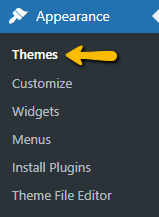
Step 1: In the Appearance > Themes section within the WordPress Dashboard.
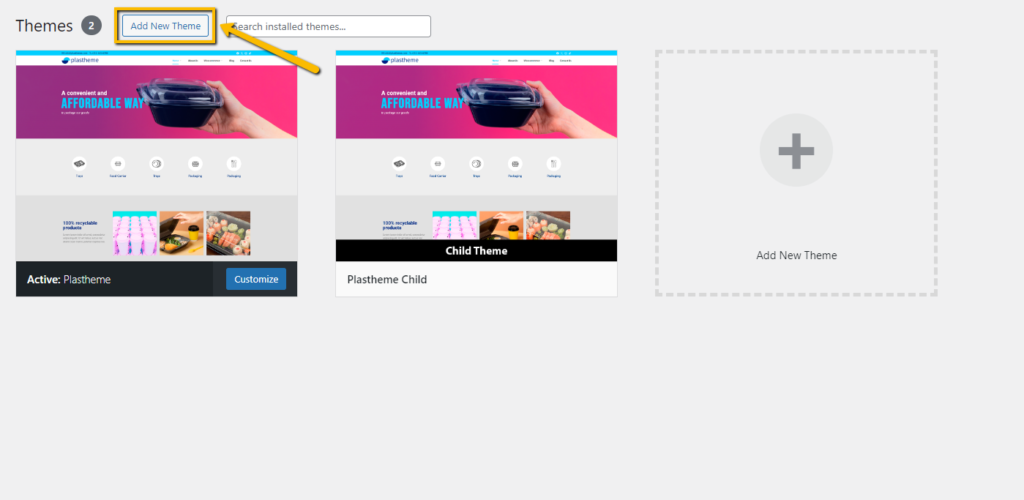
Step 2: Use the “Add New Theme” button to upload the zip of the theme (and if required the child theme) previously unzipped.
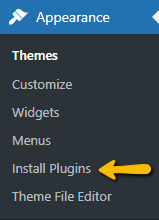
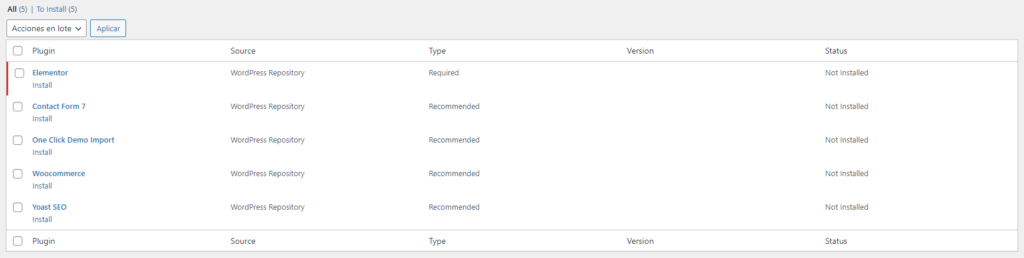
Step 3: Install the plugins required by the theme
Step 4: The theme is installed and ready to be used, if you need to download the demo you can follow the steps in this section.

Method 2: Uploading through FTP

Step 1: Unzip the previously downloaded plasttheme.zip file to your computer

Step 2: Upload the extracted featured folder to /wp-content/themes/ on your server

Step 3: Continue from step 3 of Method 1