Import the demo

Method 1: Using the One Click Demo Import plugin

This is the simplest method to install the theme demo, you only require:
Step 1: Install the plugin One Click Demo Import from the list of required plugins.
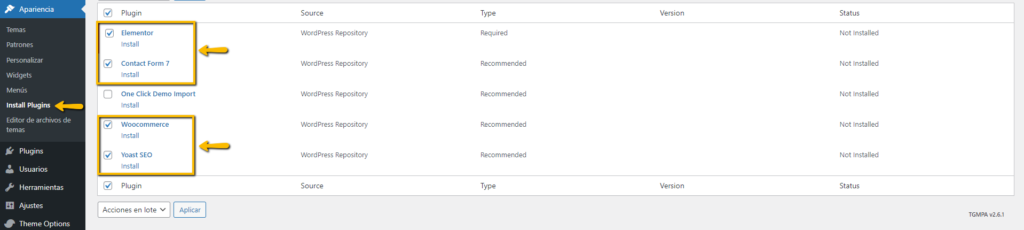
Step 2: Make sure to install the rest of the required plugins so that the demo is applied correctly.
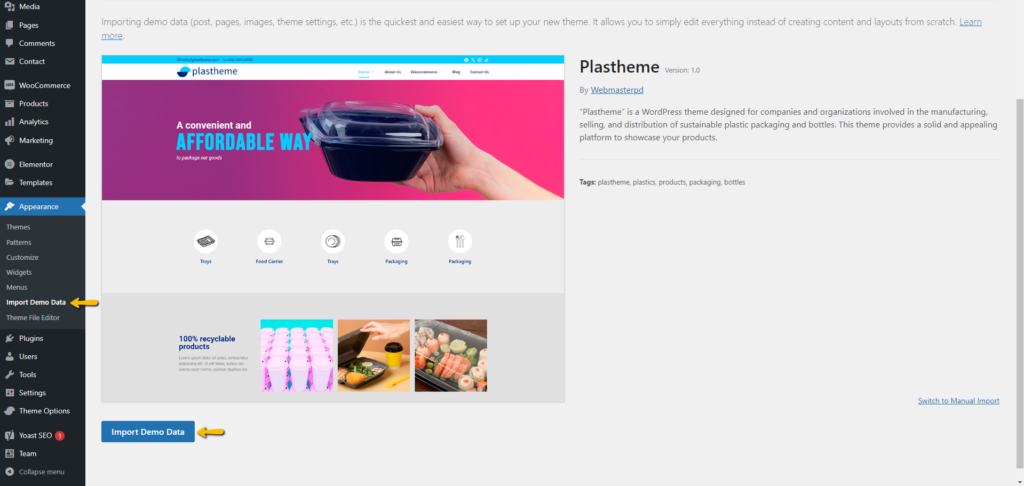
Step 3: Go to Appearance > Import Demo Data and click on the Import Demo Data button
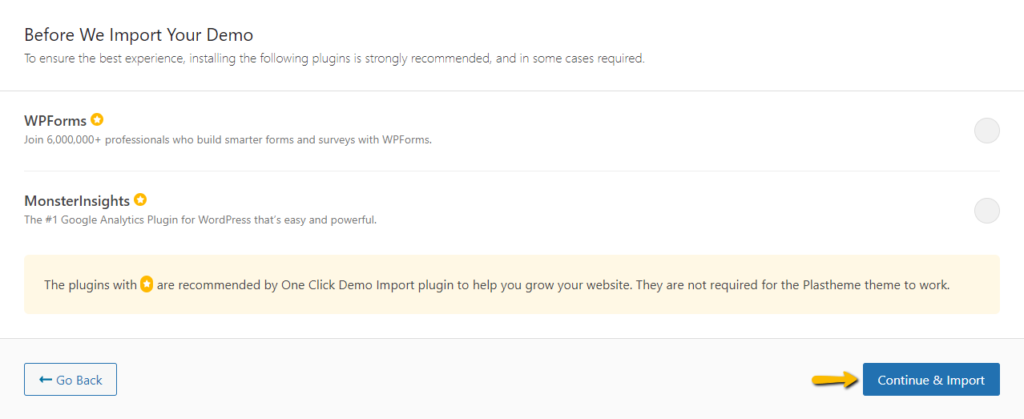
Step 4: Click on the Continue & Import button and that’s it, just wait for all the information on the theme demo to download.


Method 2: "Manual" way

Install the following plugins mentioned below:
Step 1: Go to Appearance > Install Plugins and install all the required plugins except One Click Demo Import.
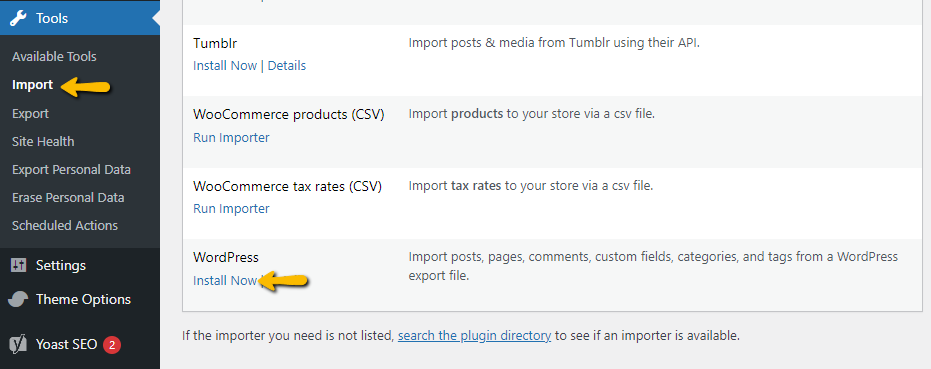
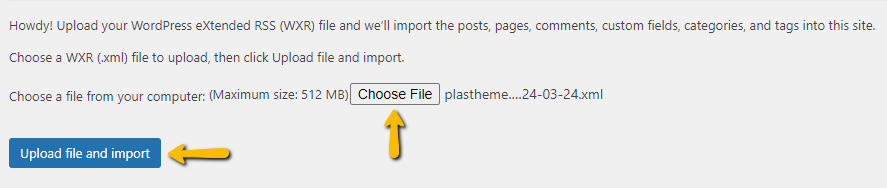
Step 2: Go to Tools > Import and install the WordPress plugin.
Step 3: Run the importer, look for the XML file inside the Demo data folder located inside the theme zip and install it.
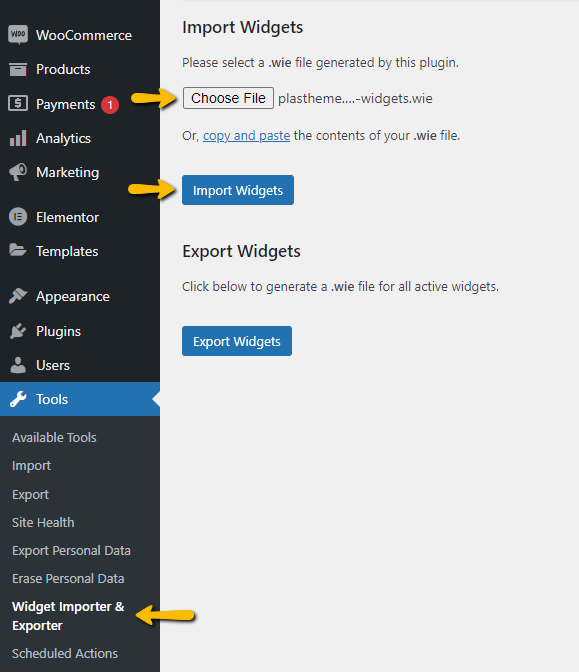
Step 4: Install the Widget Importer & Exporter plugin and load the .wie file information located in the Demo data folder.
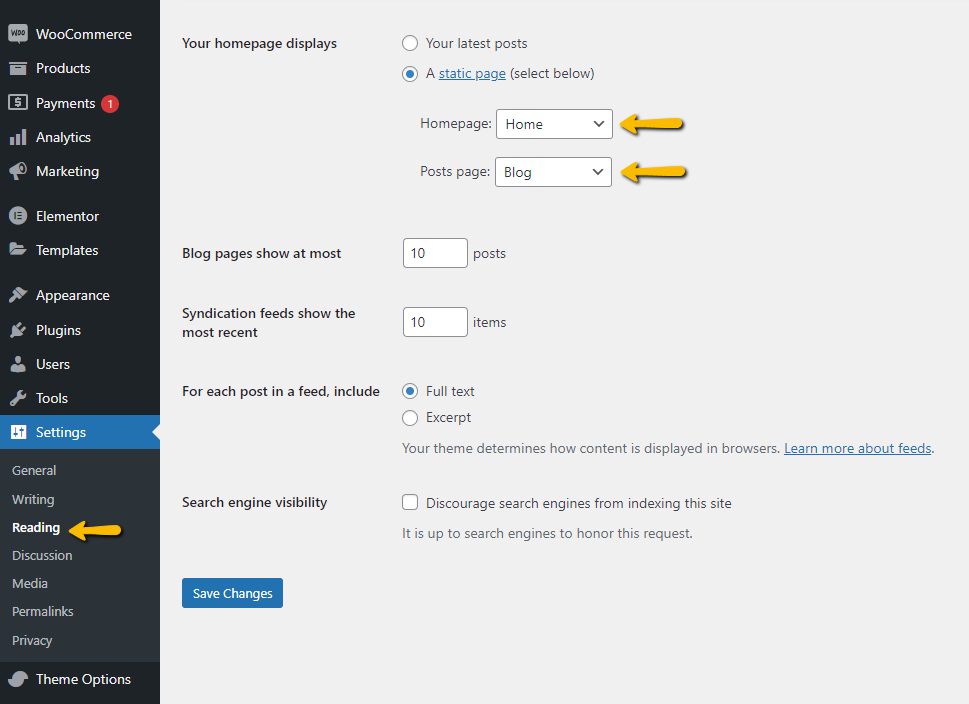
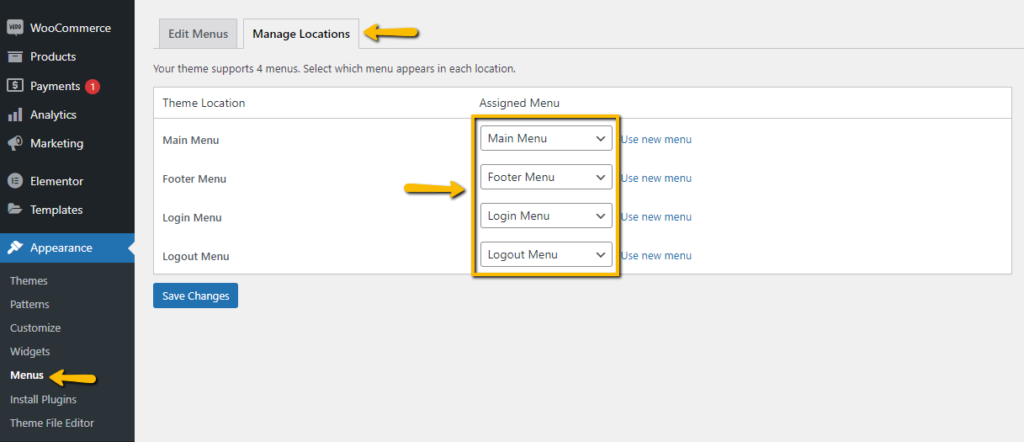
Step 5: To finish, you must configure the Home page as the initial page and assign the corresponding menus.